
 Author: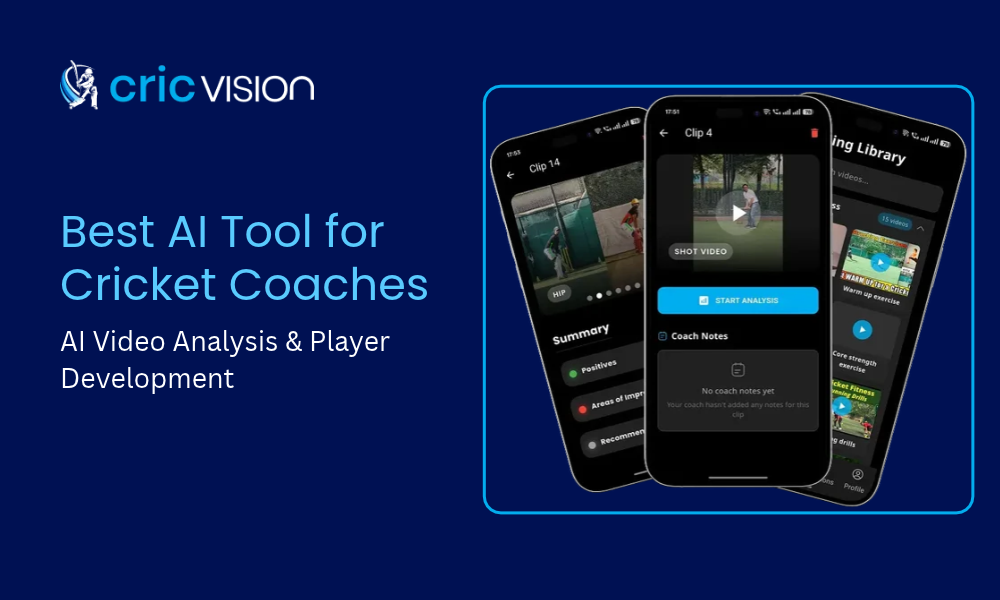
- We make CricVision, which is one of the tools below. We have tried
to describe every tool fairly using its own public information, and
we say where another tool may suit you better. Features and pricing
change, so check each vendor’s site before deciding.
The best AI tool for a cricket coach depends on the job. Ball-tracking tools suit bowling and data work, drill-based tools suit structured training plans, and coach-and-player platforms suit academies that need shot analysis, drill assignment and progress reports in one place.
This guide compares five tools by what each does best, explains what to look for, and gives you a simple 7-day test you can run on your own footage before you pay for anything.
Key takeaways
- There is no single best tool. Start with your main job:
analyzing technique, tracking the ball, planning drills, or
running an academy. - Test any tool on your own clips. Marketing numbers tell you
little about your players and your camera. - Look at workflow as much as features: can you assign drills,
share progress with parents, and manage many players? - Check the pricing model, data privacy, and whether the tool
covers batting, bowling, or both.
What to look for in an AI cricket coaching tool
| Criterion | Questions to ask |
|---|---|
| What it analyses | Batting, bowling or both? Technique from video, ball tracking or drill plans? |
| Ease of capture | Does it work with a phone and a stand, or does it need special cameras or setups? |
| Coach workflow | Can you manage several players, assign drills and track progress over time? |
| Player and parent view | Can players and parents see progress without extra work from you? |
| Reports | Can you export clear progress reports? |
| Cost model | Per player, per coach or per academy? Is there a free trial? |
| Data and privacy | Where is footage stored, who can see it and how is consent handled for young players? |
| Transparency | Does the vendor explain how accuracy was measured? |
The tools at a glance
| Tool | Best for | Main focus | Check before you buy |
|---|---|---|---|
| CricVision | Coaches and academies managing players, drills and parent updates | AI shot analysis, drill assignment, progress tracking, PDF reports | Coverage beyond batting; current pricing |
| Fulltrack AI | Ball tracking and delivery data on a phone | Ball tracking and performance insight for batters and bowlers | Team and academy management features |
| CricketCoach.ai | Structured drills and training plans | Personalized drills across batting, bowling, fielding, keeping and mental skills | Whether it analyses your own footage |
| CricIQ | Academies wanting batch analysis and benchmarking | Smartphone-based AI analysis of batting and bowling | Availability and features in your region |
| Crickzy | Coaches also studying for certification | AI video analysis plus coaching certification preparation | Independent evidence for accuracy claims |
CricVision
- Best for: coaches and academies that want shot analysis, drills and parent visibility in one place.
- What it offers: AI that detects and clips shots while recording, AI shot analysis, a 24/7 AI chat assistant, a cricket video library, coach and player connection by QR code, digital drill assignment, progress tracking and professional PDF reports. Parents can follow training and development.
- Consider: its AI analysis is described mainly around batting, so check current coverage if bowling is your priority.
Read more in how AI is transforming cricket coaching.
Fulltrack AI
- Best for: coaches who want ball tracking and detailed delivery data from a smartphone.
- What it offers: according to its public descriptions, phone-based tracking and insight for batters and bowlers, with cloud sharing between coaches, players and analysts, aimed at clubs, academies and coaches.
- Consider: check whether it covers the drill assignment and parent-reporting workflow you need.
CricketCoach.ai
- Best for: players and coaches who want structured training plans and drills.
- What it offers: all-round coaching covering batting, bowling, fielding, wicketkeeping and mental strength, with AI-personalized drills and progress tracking, according to its listing.
- Consider: check whether it analyzes your own footage or mainly provides drills.
CricIQ
- Best for: academies that want to compare many players.
- What it offers: smartphone-based AI analysis of batting and bowling, with academy features such as batch player analysis and benchmarking, according to company profiles.
- Consider: check availability, features and pricing in your region.
Crickzy
- Best for: coaches who want AI video analysis and help preparing for coaching certification levels.
- What it offers: AI video analysis for individuals and teams, plus a preparation hub for coaching certifications, according to its listing.
- Consider: directory pages quote headline accuracy figures. Ask how they were measured and test it on your own clips.
Which one should you choose?
- You run an academy and need to manage many players and update parents: start with a coach-and-player platform with drill assignment and reports.
- You mainly coach bowlers and want delivery data: prioritize ball tracking.
- You want structured practice plans for players training on their own: look at drill-based tools.
- You want to compare large batches against benchmarks: look for batch analysis features.
- You are a coach working towards certification: consider tools that combine analysis with coaching education.
If you are weighing up what a tool should do for a whole academy, see our guide to growing a cricket academy with technology.
How to test any tool in 7 days
- Day 1: Choose 10 clips you already know well, including good shots, clear mistakes and some poor-quality footage.
- Day 2: Run the same clips through each tool you are considering.
- Day 3: Compare the feedback with what you know. Which tool spotted the real issues, and which invented problems?
- Day 4: Test the workflow: add a player, assign a drill, share a report.
- Day 5: Ask one player and one parent whether the feedback is clear.
- Day 6: Check pricing at the number of players you actually coach.
- Day 7: Decide, and note what you would still need from your own coaching.
Good footage matters as much as the tool. Avoid the common video analysis mistakes before you judge any software.
A note on filming young players
Get written parental consent, explain how footage will be used, limit who can see it and choose tools that store data securely. Follow the child-protection and data-privacy rules where you are.
Frequently asked questions
What is the best AI tool for cricket coaches?
There is no single best tool, because coaches need different things. Ball-tracking tools suit bowling and data work, drill-based tools suit structured training plans, and coach-and-player platforms suit academies that need shot analysis, drill assignment and progress reports in one place. Match the tool to your main job, then test it on your own footage.
Do I need special hardware for AI cricket coaching tools?
Many phone-based tools work with a smartphone and a stable stand, but requirements differ. Some ball-tracking or biomechanics tools need specific setups or camera positions, so check each tool’s requirements before committing.
Can AI replace a cricket coach?
No. AI is fast and consistent at spotting patterns in footage, but a coach understands the player, the match situation and what is realistic to change. The best results come from using both.
How accurate are AI cricket analysis tools?
Accuracy varies by tool, footage quality and what is being measured. Treat single headline percentages with caution unless the vendor explains how they were measured, and test any tool on a set of your own clips where you already know the answer.
How much do AI cricket coaching tools cost?
Pricing varies widely. Some tools offer free tiers, others charge monthly or yearly per user, and some have academy or team plans. Check each vendor’s current pricing page and compare the cost per player or per coach, not just the headline price.
Is it safe to use these tools with children’s footage?
It can be, with safeguards. Get written parental consent, explain how footage is used, limit who can view it, choose tools that store data securely and follow the child-protection and data-privacy rules that apply where you are.
Final thoughts
The best AI tool is the one your coaches will actually use every week and that gives players and parents something they can see. Start with your main job, test on your own footage and check the workflow, not just the feature list.
For wider context, read sports academy technology trends and why academies lose players and how to keep them.
Want to see CricVision on your own footage? Book a demo.