
 Author: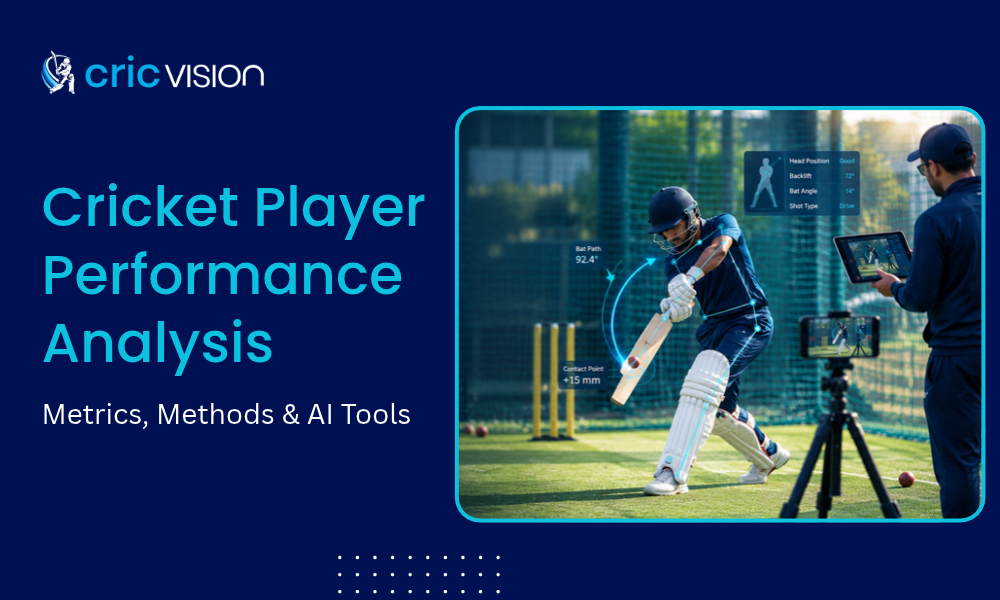
Cricket player performance analysis is the process of measuring how a cricketer bats, bowls and fields, using match statistics and video, so coaches see what to fix and whether it improves.
This guide is for academy coaches, players and parents. You get the core metrics, a 6-step method you can run with a phone and tripod and a clear view of what AI can and cannot measure.
At CricVision, we build AI coaching tools for cricket academies, coaches and players. This guide follows the questions academy coaches ask us when they first start reviewing practice footage with data.
Key takeaways:
- Cricket player performance analysis has two layers: statistics show what happened, technique video shows why.
- Track three or four core metrics per player, not twenty.
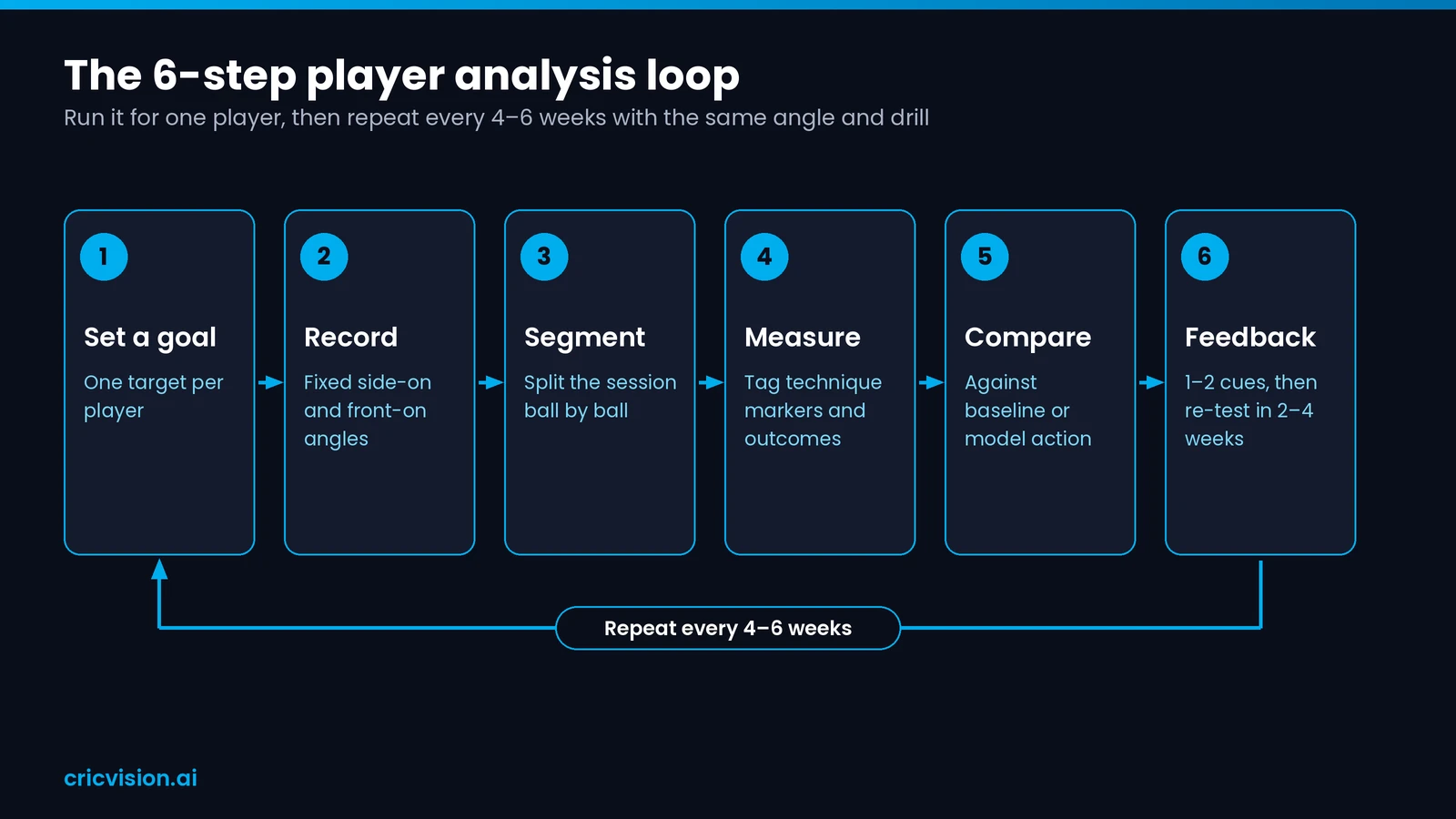
- Follow a repeatable loop: goal, record, segment, measure, compare, feedback.
- Film from the same side-on and front-on spots every session and re-test every 4–6 weeks.
What is cricket player performance analysis?
Cricket player performance analysis is the structured review of a cricketer’s batting, bowling, fielding and fitness data, combined with video, to find strengths, faults and the next thing to train.
International teams employ full-time analysts for this work and franchise staff use it to plan for opponents. Today, academy coaches and even individual players can run a simple version with a phone.
It covers four areas: batting, bowling, fielding and physical load. Each area has numbers you can count and movements you can watch.
For a coach, the output is simple: two or three facts about a player and one clear thing to work on next.
Consistent measurement pays off early. A study of about 4,500 One-Day Internationals found that long-term performance can be predicted from early observations.
Match statistics vs technique analysis
Match statistics tell you what happened: runs, balls faced, wickets, economy rate. Technique analysis tells you why: a closed front foot, a late backlift, or a bowler falling away at release.
Good cricket performance analysis combines both layers. A falling strike rate against short balls becomes coachable only once video shows the trigger movement behind it.
At academy level the second layer matters most. Juniors play few matches, so their scorecards are thin, but every net session can be filmed and reviewed.
That is why performance analysis in cricket has moved from the dressing room to the nets.
Key cricket performance metrics for batting, bowling and fielding
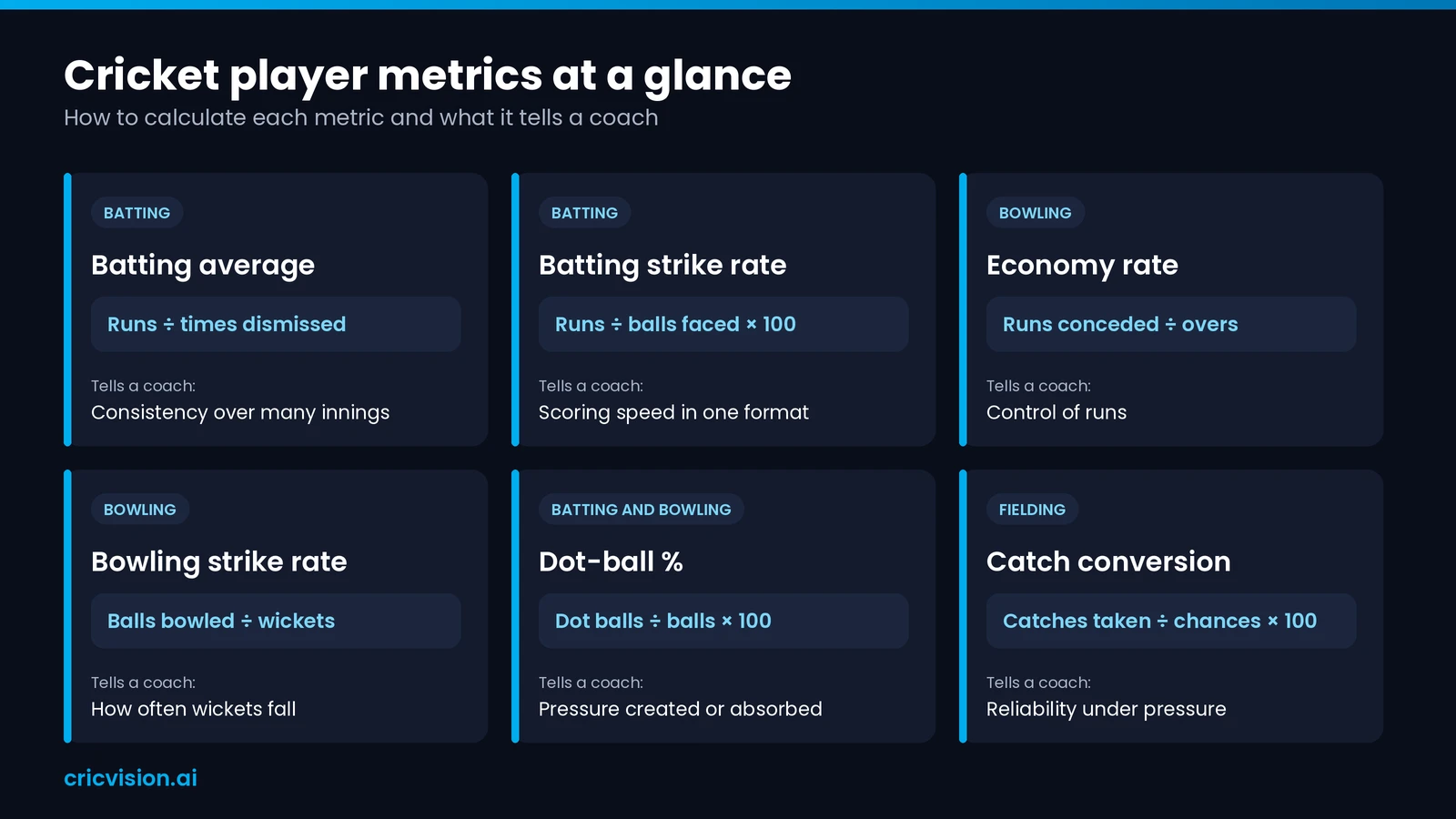
The core cricket performance metrics are batting average and strike rate, bowling economy and strike rate, dot-ball percentage and catch conversion in the field. Each one answers a single coaching question.
The reference image shows each metric, its formula and what it tells a coach. The table below lists the formulas in text.
| Metric | How to calculate |
|---|---|
| Batting average | Runs ÷ times dismissed |
| Batting strike rate | Runs ÷ balls faced × 100 |
| Economy rate | Runs conceded ÷ overs |
| Bowling strike rate | Balls bowled ÷ wickets |
| Dot-ball % | Dot balls ÷ balls × 100 |
| Catch conversion | Catches taken ÷ chances × 100 |
Pick three or four of these per player. More numbers do not make cricket player performance analysis better; consistent numbers do.
Batting metrics
Average and strike rate are the starting pair. Add boundary percentage and dot-ball percentage to see whether a batter scores by rotating the strike or by hitting fours and sixes.
Bowling metrics
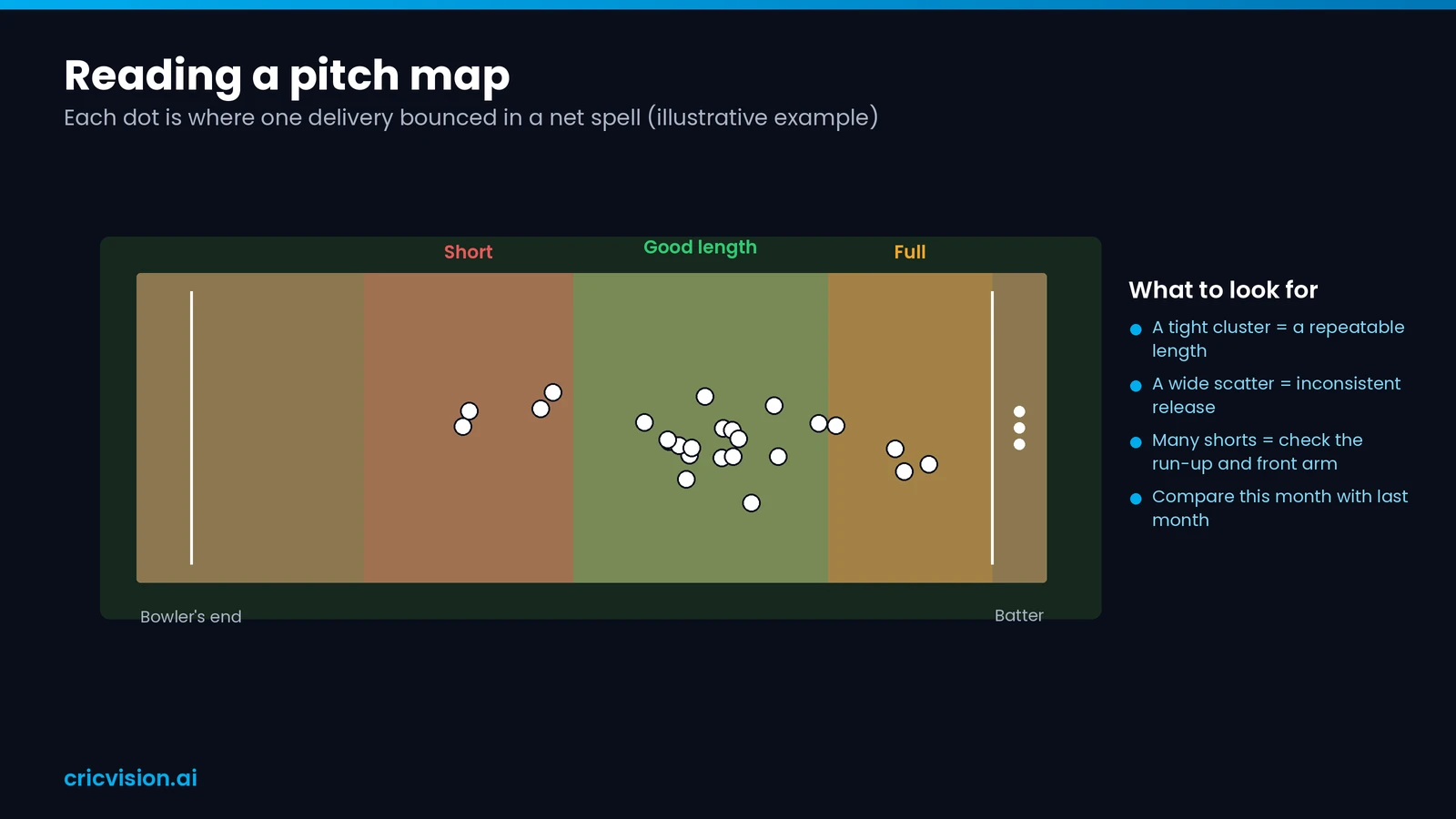
For bowlers, track economy, bowling strike rate and dot-ball percentage. Then look at where the ball lands a pitch map plots each delivery’s bounce point, so a wandering length shows up as a scatter.
Fielding and fitness metrics
Fielding is measured by catch conversion, run-outs effected and ground-fielding errors. Fitness adds sprint speed and workload, which need body-worn sensors rather than video.
Agility matters most close to the bat. In a New Zealand study, players and coaches rated it the top physical attribute for wicket-keepers and inner-circle fielders.
How to do cricket player performance analysis in 6 steps
Cricket player performance analysis works best as a six-step loop: set a goal, record, split the session into balls, measure, compare, then give feedback and re-test.
- Set one goal per player, such as a straighter bat path for a top-order batter or a more consistent length for a seamer.
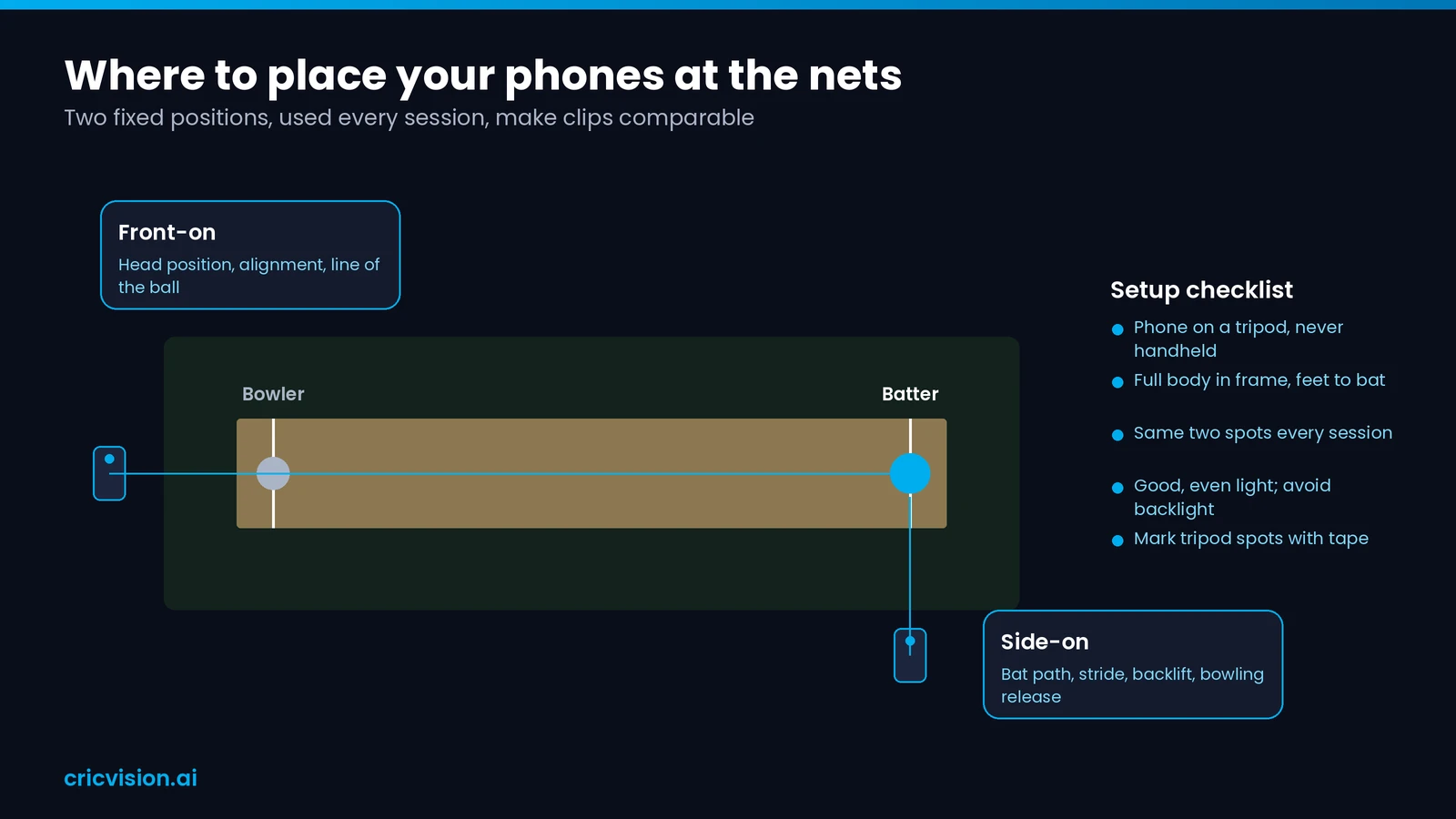
- Record from a fixed side-on and a fixed front-on position, with the phone on a tripod and the player’s full body in frame.
- Split the session into single deliveries. Ball-by-ball segmentation in an app does this automatically; by hand, you trim each clip to one ball.
- Measure and tag technique markers and outcomes for each ball. Our guide shows how to analyze batting technique with AI marker by marker.
- Compare each clip with the player’s own baseline or a model action, using side-by-side or slow-motion playback.
- Give one or two pieces of feedback, set a drill and re-test the same marker in 2–4 weeks.
Here is a worked example. A 14-year-old opener keeps edging balls outside off stump, so the goal is a straighter bat path. The coach films two net sessions and tags every edge.
The clips show the bat coming down from gully. The feedback is one cue plus a throwdown drill. Three weeks later, the same angle and drill show fewer edges and a straighter path.
Steps 2 to 4 are where cricket video analysis earns its place. Without fixed angles and clean clips, the measuring and comparing that follow turn into guesswork.
When we set up CricVision for an academy, the first thing coaches notice is ball-by-ball segmentation. Instead of scrubbing through an hour of net footage, they jump straight to each delivery.
This loop is the core of cricket player analysis at every level, from an under-13 squad to a first XI.
Cricket video analysis: what AI can measure from a phone
AI cricket analysis on smartphone video uses pose estimation and ball tracking to measure technique: body positions, bat path, ball path and ball speed. It does not measure fitness or workload.
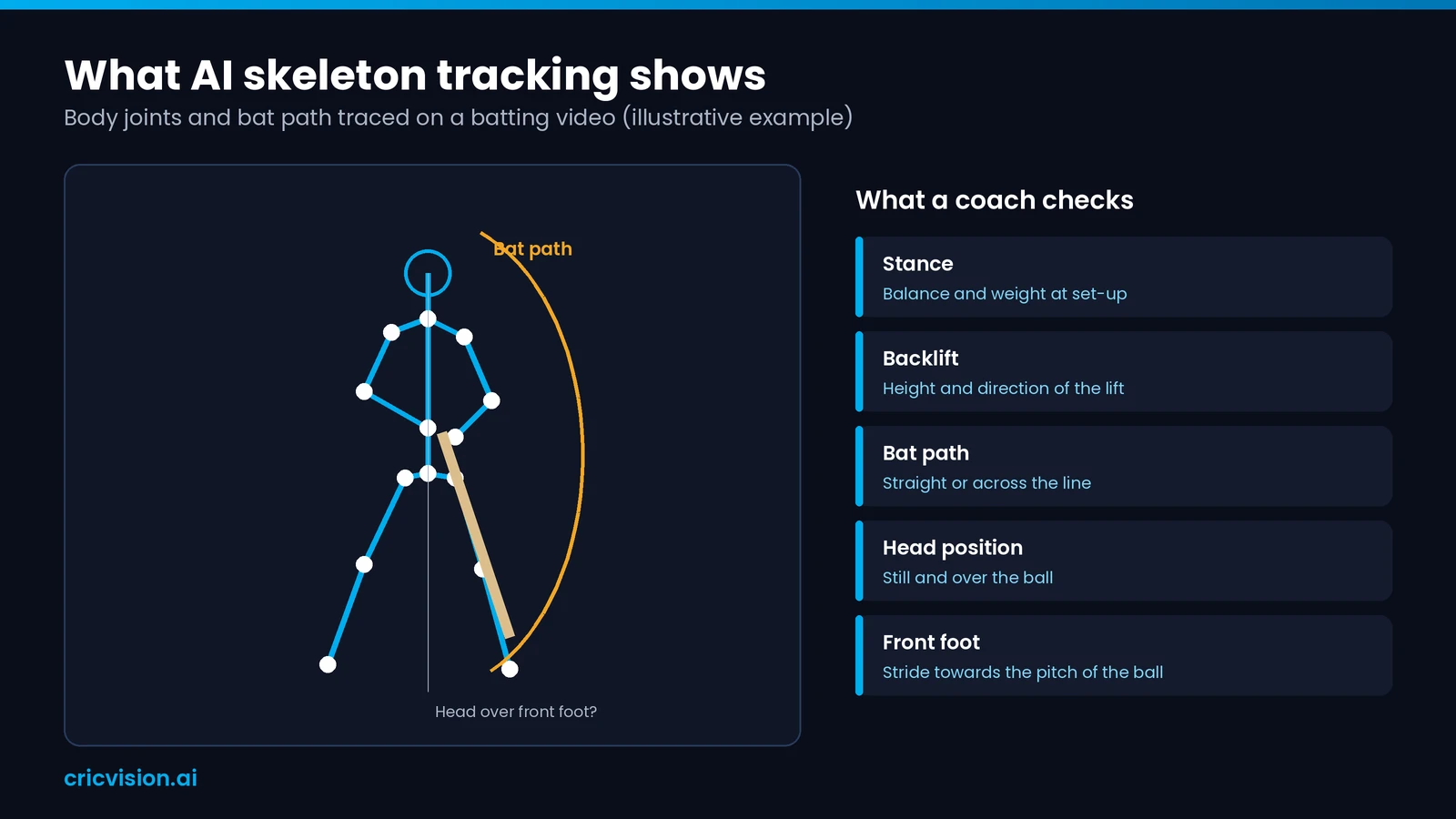
Pose estimation means the software finds the body’s joints in each frame and joins them into a stick figure. This skeleton tracking measures angles the eye misses at full speed.
From one phone, AI can measure stance, backlift, bat path, head position, ball path, pitch point, ball speed, bat speed and the impact frame.
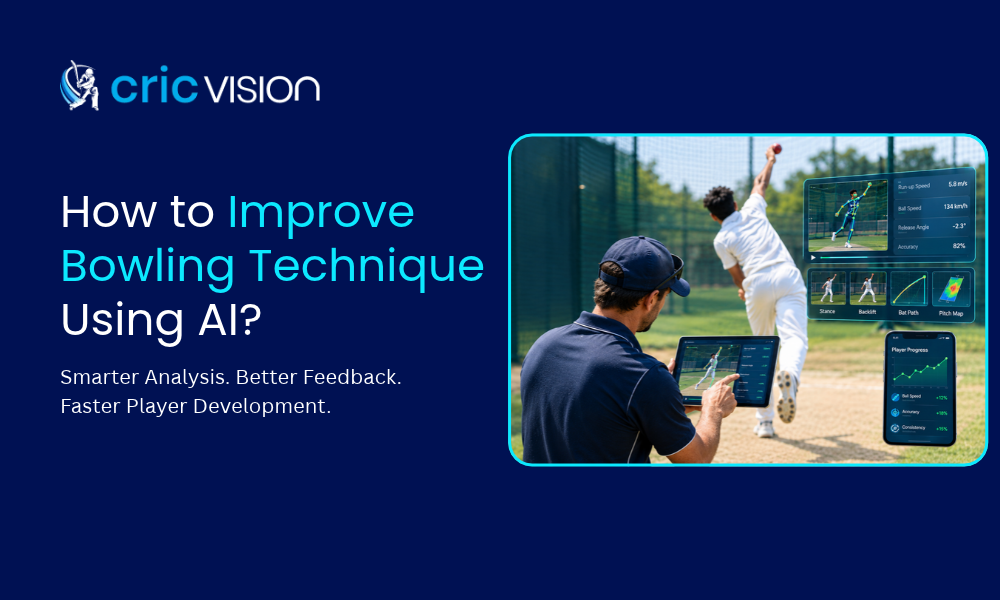
Bowling actions can be checked the same way, from run-up to follow-through. Our guide on how to improve bowling technique using AI covers it in detail.
For cricket video analysis to be reliable, the camera needs good light, a fixed angle and the full body in frame. Shaky handheld clips give noisy numbers.
What a phone cannot measure: sprint distance, accelerations, heart rate and total bowling workload. Those need body-worn sensors.
This table shows the best tool for each kind of measurement.
| What you want to measure | Best tool |
|---|---|
| Stance, backlift, bat path, head position | Phone AI video |
| Ball speed and pitch point at the nets | Phone AI video, single camera (accuracy [verify]) |
| Ball trajectory to DRS standard | Hawk-Eye style multi-camera tracking |
| Sprint distance and bowling workload | GPS wearables |
A phone covers technique; elite match tracking and fitness load need extra kit. That makes the phone the natural starting point for cricket player performance analysis at club and academy level.
Our app measures what a phone camera sees well stance, backlift, bat path, head position, ball path and pitch point. For sprint distance or bowling workload, we tell coaches GPS wearables are the right tool.
Cricket performance analysis tools: video, ball tracking, wearables and data
There are four tool types: ball tracking, GPS wearables, data and scoring platforms and smartphone AI video apps. Each suits a different level, from international cricket to the academy nets.
| Tool type | Best for |
|---|---|
| Ball tracking (e.g. Hawk-Eye) | Trajectory, DRS, line and length |
| Wearable GPS (e.g. Catapult Vector) | Workload, sprints, injury risk |
| Data platforms (e.g. CricViz) | Match data, opposition plans |
| Phone AI video (e.g. CricVision) | Technique feedback, progress reports |
Ball tracking is built for broadcasts and umpiring, with several high-speed cameras around the ground. Its cost and setup put it out of reach for most academies.
Wearables suit professional squads that manage fast bowlers’ loads. Data platforms serve boards and franchises that plan for opponents from ball-by-ball match records.
Smartphone AI apps fit clubs, schools and academies, where the main need is technique feedback for many players at a modest cost.
If budget allows, combine them: phone video for every player, wearables for senior fast bowlers and a scoring app for match data.
Whatever you choose, cricketer performance analysis should start from a coaching question, not a gadget. For named apps and prices, read AI tools for cricket coaches compared.
Player performance tracking across a season
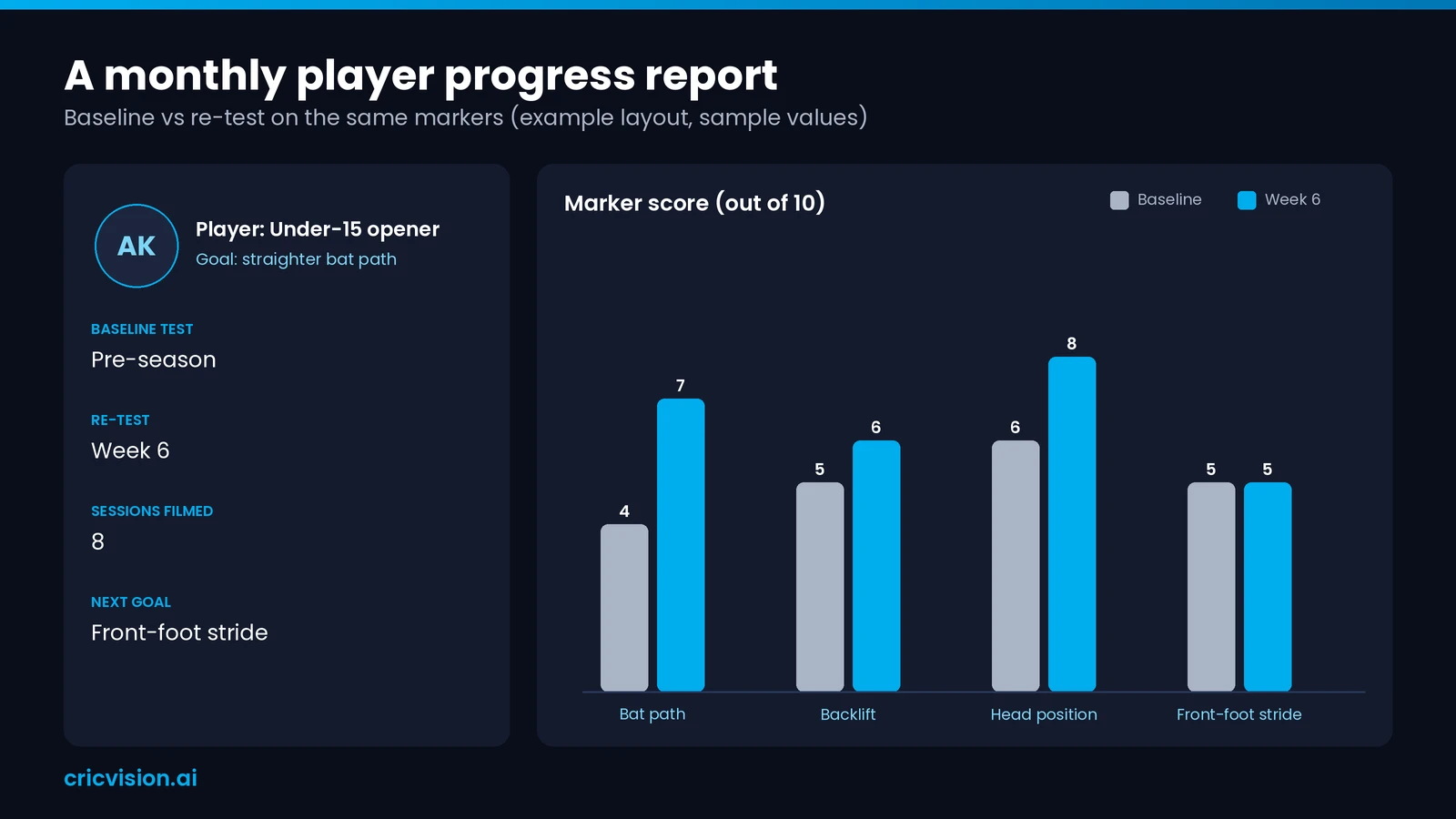
Good player performance tracking starts with a pre-season baseline, then re-tests the same markers every 4–6 weeks under the same conditions: same angle, same drill, same type of bowling.
We built progress dashboards and one-tap PDF reports for one reason: parents want to see progress between sessions and coaches rarely have time to write it up by hand after a long day at the nets.
A useful monthly report holds two or three markers, one clip that shows the change and one goal for next month. Anything longer rarely gets read.
Store every test clip with its date. A side-by-side of January and April is the most convincing progress report a player will ever see.
Sharing the report with players and with parents for juniors, keeps everyone working on the same goal. Our guide explains how AI coaching apps support academies with reports, notes and chat.
For fast bowlers, count balls bowled as well. Junior workload deserves its own plan, agreed with a qualified coach or physio.
Over a season, these repeated checks turn cricket player performance analysis from a one-off review into a record of progress.
Want to see a sample report? Contact the CricVision team.
Cricket player performance analysis mistakes we see most often
The most common mistakes in cricket performance analysis are changing camera spots, tracking too many metrics, judging juniors by adult numbers, giving too much feedback at once and never re-testing.
- Filming from a different spot each week, so clips cannot be compared.
- Tracking twenty numbers when three or four would guide training.
- Judging juniors by adult benchmarks instead of their own last test.
- Giving five corrections at once, when one or two land better.
- Never re-testing, so nobody knows whether a drill worked.
A sixth mistake is leaving the player out. Show them the clip and ask what they notice before you explain; players who spot the fault themselves change faster.
A mistake we often see is filming from a different spot every week. Our team advises coaches to fix one side-on and one front-on position at the nets, so this month’s clip compares fairly with last month’s.
Avoid these and analyzing a cricketer’s performance becomes quicker, fairer and more trusted by players.
Frequently asked questions
How often should a coach do cricket player performance analysis?
Review short clips every session or every week and run a full re-test of key markers every 4–6 weeks. Add a season review to compare pre-season and end-of-season results for each player.
What is a good strike rate in T20 cricket?
It depends on level and batting role. In professional T20, many top-order batters strike at around 130 or higher [verify], but juniors should be compared with players of the same age group and format.
Can you analyze cricket technique with a smartphone?
Yes. A smartphone on a tripod captures stance, backlift, bat path and bowling release well enough for AI tools to measure. Fitness load and sprint data still need wearable sensors.
Which camera angles work best for recording batting and bowling?
Use side-on for bat path, stride length and bowling release and front-on for head position, alignment and line. Keep both positions the same every session so clips compare fairly.
Is AI analysis accurate enough for junior cricketers?
AI-based cricket player analysis is accurate enough to show patterns and trends when videos are recorded the same way each time. A coach still interprets the numbers and good light helps.
How long does it take to see improvement from video feedback?
There is no fixed timeframe. Work on one or two changes at a time, re-test after a few weeks and judge progress against the player’s own baseline rather than a set deadline.
Next steps: start with one player and one camera angle
Start this week with one player. Fix one side-on and one front-on camera spot, record two sessions a month and re-test the same two markers every 4–6 weeks.
Cricket player performance analysis works when the same measures repeat, not when every metric is collected once.
Once that routine feels easy, add a second player or a second metric. Small, repeated checks beat one big review at the end of the season.
To see it in action, try the AI cricket coaching app or book an academy demo with the CricVision team.